
picos FTF: Technical design and commercial processing in one system
picos FTF is designed for project logic in window, door, and facade construction. The software manages projects, elements, variants, and result documents as well as commercial processes throughout order processing – based on a consistent project and element data model.
- Design foundation: element- and project-oriented data structure (windows/doors/facades, grid/special constructions)
- Calculation: material, production, installation, and overhead costs in definable structures
- Result documents: bills of materials, work/production lists, drawings (views/sections)
- Processing: quotation → order → order confirmation → purchasing (EDI) / delivery → invoices / e-invoices

Overall scope – generic by work areas
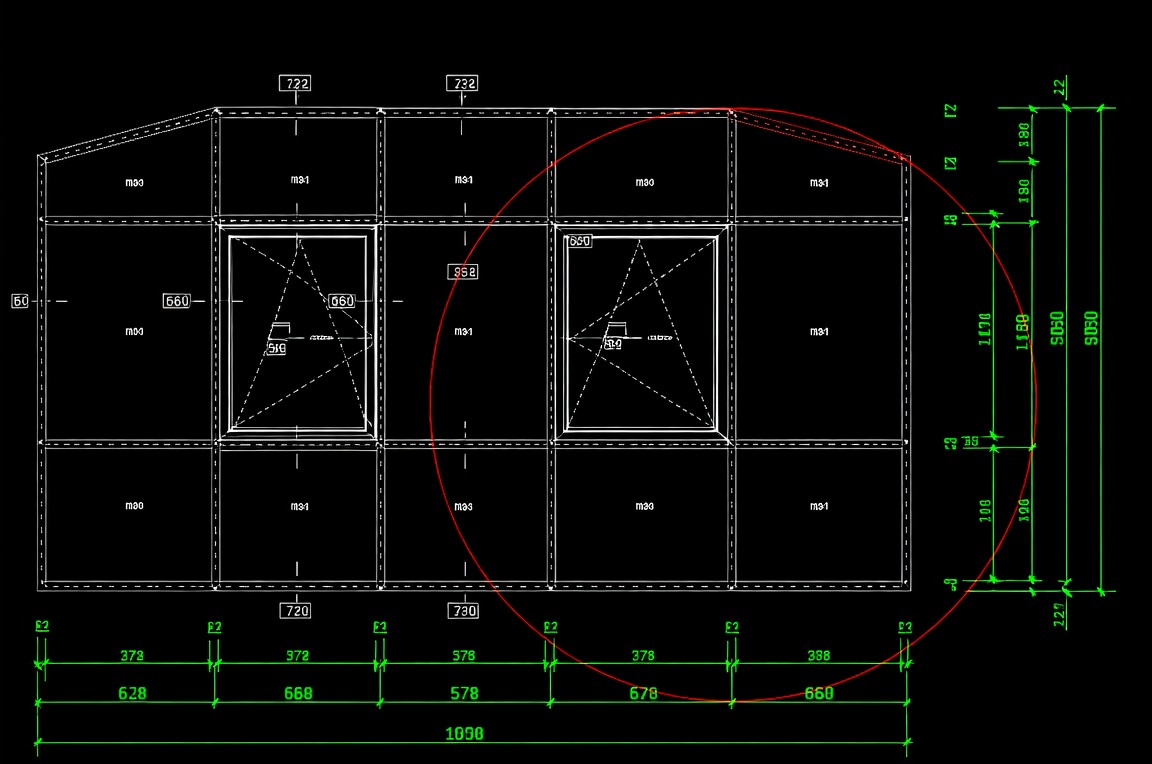
Configuration & Design
- Project- and element-based structure (windows/doors/facades)
- Variants/alternatives and changes without rebuilding
- Assignment of systems/profiles/accessories, glass and fittings
- Basis for technical derivations (lists/drawings)
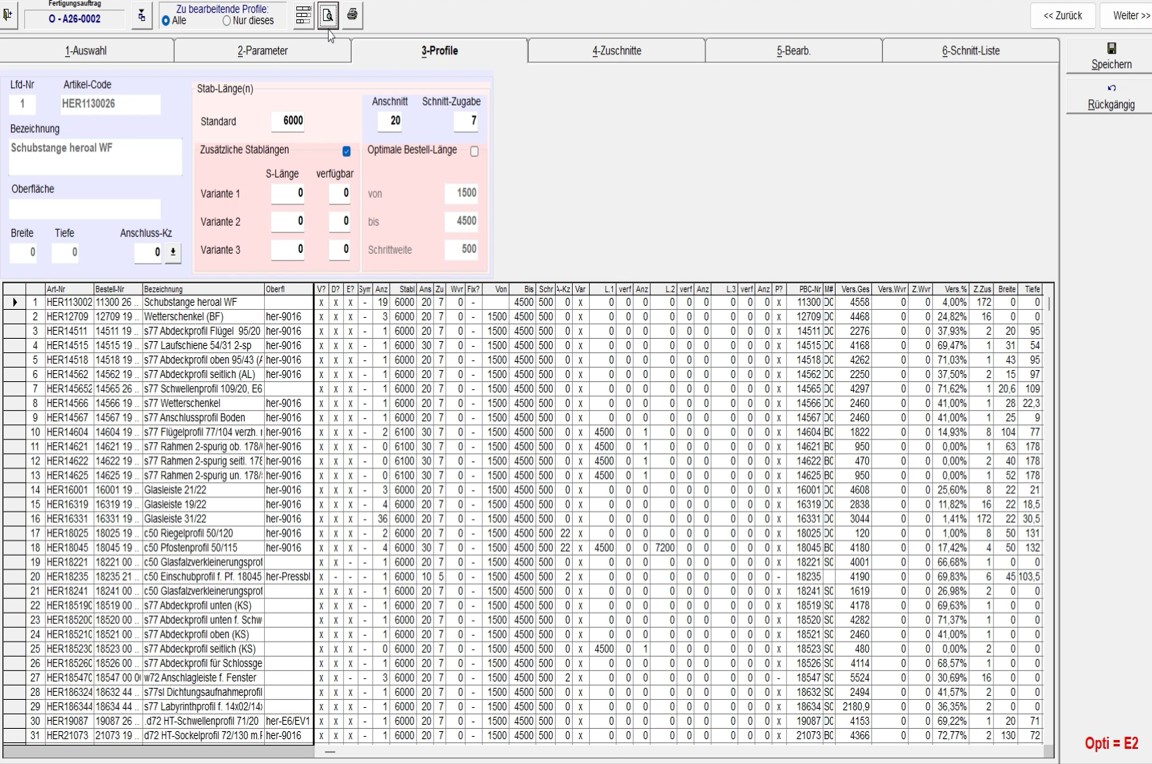
Calculation & Processing
- Cost structure: material, production, installation, overhead
- Quotation → order → order confirmation with traceable changes
- Purchasing (EDI) / delivery (process-dependent) derivable from project data
- Invoices / e-invoices / transfer to ERP (optional)
Results / Output (from the same data base)
- Bills of materials (material/accessories)
- Work/production lists per workstation
- Drawings (views/sections; depending on edition)
- Quotation/order/order confirmation
- Purchase/delivery documents (incl. EDI) (process-dependent)
- Invoices / e-invoices / transfer (optional)
Detailed performance description – consistent project and element logic
In picos FTF, the element model is the central source. Changes to element data consistently affect calculation, lists/drawings, and commercial documents. This section is intentionally detailed and can serve as a template for other products (structure + level of detail).
1) Data Model & Structure
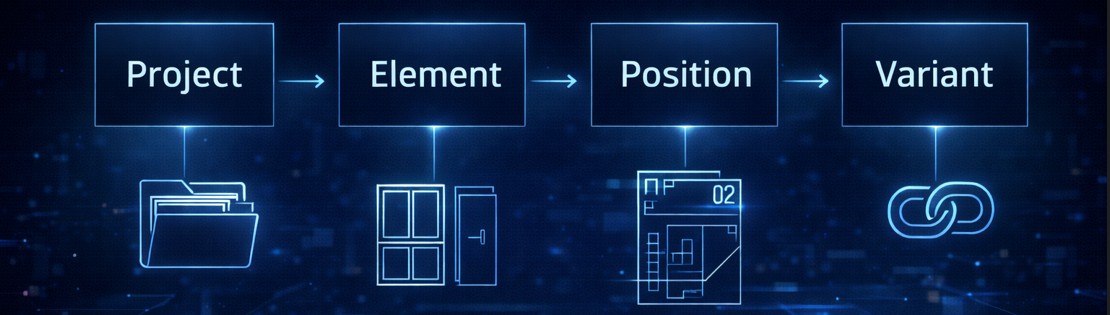
- Project/element hierarchy: unified data basis for technical and commercial process steps
- Position/variant logic: variants, alternatives, change orders – without rebuilding elements
- Status/change tracking: traceable between quotation, order, and subsequent documents
- Rule/template principle: system/profile-related rules, accessory and glass assignments (per setup)
2) Design / Configuration
- Element types: windows, doors, facades (depending on configuration)
- Field/grid models including repeating structures (e.g., louvers, partitions)
- Assignment/management of profiles, glass, fittings, accessories
- Changes automatically affect derivations and calculation
3) Calculation
- Cost blocks: material, production, installation, overhead – structurizable
- Evaluation: factors/rates, project-specific parameters (per setup)
- Variant comparison: direct cost impact for profile/system alternatives
- Post-calculation: basis for commercial evaluation/controlling (process-dependent)
4) Technical Derivations & Results
- Bills of materials (material/accessories) at project, element, and position level
- Work/production lists per workstation (per process)
- Drawings: views and sections (per edition / setup)
- Basis for machine data / cutting optimization (optional via interface)
5) Commercial Processing / Documents (ERP-related functions)
- Quotation → Order: transfer including versioning/status and change logic
- Order confirmation: generated directly from order data / project structure
- Purchasing: derivation of material/accessory/external service requirements (process-dependent)
- Delivery note: project/element-based, depending on process and organizational structure
- Invoices / e-invoices: based on performance/delivery status; optional transfer to billing/ERP
6) Workflow, Roles, Quality Assurance (project-dependent)
- Status management and approvals (e.g., quotation, order, change order)
- Change logging (internal/external) for coordination in the customer process
- Optional: evaluations, reports, transfer formats (per interface)
Documents and data – from the project/element data base
Outputs and result documents are generated from the consistent data base. Scope and formats depend on edition and configuration.
Technical result documents
professional · standard · compact – detailed comparison
The editions differ in functionality (e.g., technical depth, drawings, interfaces). Below is a feature overview for orientation. The final configuration is defined in the project setup.
professional
Full version for complex constructions, extensive outputs, and interfaces.
- Comprehensive constructions & variants
- Advanced technical derivations
- Extensive drawings (views/sections)
- Machine/PPS/BDE/GAEB interfaces (optional)
- Invoices / e-invoices / transfer to billing/ERP (optional)
- Scalability for complex organizational structures
standard
Extended functionality including facades and drawing/list features.
- Advanced calculation (structures/blocks)
- Facade processing (per setup)
- Drawing generator (per setup)
- Purchasing (EDI) / delivery support (process-dependent)
compact
Entry-level for windows/doors, defined scope for design and outputs.
- Quotation & order incl. order confirmation
- Basic calculation
- Basic technical design (windows/doors)
- Basic lists (BOM/work lists; per setup)
| Feature group | professional | standard | compact |
|---|---|---|---|
| Element capture windows/doors Design, variants, technical basis |
✓ | ✓ | ✓ |
| Facade processing depending on configuration/setup |
✓ | ○ | – |
| Grid/special constructions e.g., louver/partition systems |
✓ | ○ | ○ |
| Calculation material/production/installation/overhead (structure) |
✓ | ✓ | ✓ |
| Drawings views/sections (generator per edition/setup) |
✓ | ✓ | ○ |
| Technical lists BOMs, work/production lists |
✓ | ✓ | ✓ |
| Quotation → Order → Order confirmation documents & status management |
✓ | ✓ | ✓ |
| Purchasing / Delivery note process-dependent, per setup |
✓ | ✓ | o |
| Invoices / e-invoices / transfer optional, per process/interface |
✓ | o | – |
| Interfaces machines, PPS/BDE, GAEB, ERP (optional) |
✓ | o | – |
Legend: ✓ included · ○ optional/dependent on configuration · – not included
Usable as a standalone solution – extendable via interfaces and platform modules
picos FTF can be used as a standalone solution. Depending on requirements, extensions are possible via interfaces (e.g., machines/PPS/ERP) or via picos modules.
Typical integration points
- Machine/production (e.g., cutting/CNC control) – optional
- PPS/BDE – optional
- GAEB – optional
- ERP/billing – optional (transfer of document data / invoices / e-invoices)
Platform extension (optional)
- picos CO (cutting optimization)
- picos PC (Production Control)
- picos ID (Digital Product Passport)
- picos IFS (Installation & Field Service)
Demo & technical classification
We present picos FTF using a sample project (design → calculation → lists/drawings → documents) and clarify editions/modules as well as possible interfaces within your system landscape.